
Download Style Art AI – AI Image Transform, Free Trial, Secure Online Tool
Overview of Style Art AI
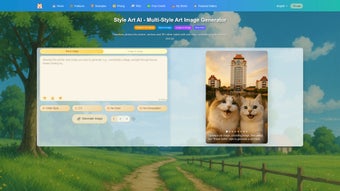
Style Art AI is a cloud‑based creative engine that leverages cutting‑edge artificial intelligence to turn ordinary photos, sketches, or textual prompts into eye‑catching artworks. Whether you are a hobbyist looking to add a splash of anime flair to a family portrait, a marketer needing custom illustrations for a campaign, or a game developer hunting for unique creature concepts, Style Art AI provides a one‑click solution that blends speed with artistic depth. The platform operates on a subscription model, but offers a limited free trial that lets users explore the core capabilities before committing to a paid plan.
Security is baked into the service: all uploads are encrypted in transit, and images are stored temporarily on secure servers that automatically purge after a configurable period. Updates are rolled out continuously, meaning new style packs, higher resolution outputs, and refined prompt handling are delivered without any manual patching. In short, Style Art AI positions itself as a versatile, secure, and constantly evolving tool for anyone who wants to generate high‑quality visual content without learning complex design software.
Additionally, the service includes a community hub where users can share their creations, vote on new style ideas, and even download community‑generated prompt templates, fostering a collaborative environment that keeps inspiration flowing. For enterprises, the admin console provides detailed usage analytics, role‑based access controls, and single‑sign‑on (SSO) integration, making it easy to align the tool with corporate compliance standards while still encouraging creative experimentation across teams.
Key Features and Creative Possibilities
- AI‑driven style transfer: Convert photos into dozens of predefined styles such as anime, watercolor, comic‑book, cyber‑punk, and more.
- Text‑to‑image generation: Describe a scene, character, or object in plain language and receive a fully rendered image that matches the description.
- Hybrid style mixing: Combine two or more artistic styles to produce unique hybrids (e.g., “anime + steampunk”).
- Resolution control: Choose output sizes from web‑ready 720p up to 4K for print‑quality results.
- Color palette adjustment: Fine‑tune hue, saturation, and contrast after generation to match brand guidelines.
- Background replacement: Swap out the backdrop of an existing image with a new setting in seconds.
- Item substitution: Replace objects within a scene (e.g., change a coffee cup to a magic potion) while preserving lighting and perspective.
- Batch processing: Upload multiple files and apply the same style or prompt to all of them, saving time for commercial projects.
- Export options: Download results as PNG, JPEG, or SVG for flexibility across web, print, and vector‑based workflows.
- API access (for Pro plans): Integrate Style Art AI directly into your own applications, CMS, or marketing automation tools.
What truly sets Style Art AI apart is the depth of its prompt engine. Users can specify not only the visual style but also the mood, lighting conditions, and even the narrative context (e.g., “a lone samurai standing under a neon rainstorm”). The AI interprets these cues and renders images that feel purposeful rather than generic.
Moreover, the platform’s “creative remix” mode lets you upload an existing artwork and then ask the AI to reinterpret it in a completely different style while preserving core composition—a powerful feature for designers who need rapid concept variations. For teams, the collaborative workspace enables shared folders, version history, and role‑based permissions, making it easy to hand off assets between artists, copywriters, and product managers. Finally, the regular addition of community‑sourced style packs keeps the library fresh, ensuring that you won’t outgrow the tool after a few months of use.
Advanced users can also tap into the “prompt‑tuning” sandbox, where they can experiment with token weighting, negative prompts, and multi‑modal conditioning to achieve hyper‑specific visual outcomes that align perfectly with brand identity or storytelling goals.
Installation, Compatibility, and How to Use Style Art AI
Because Style Art AI is delivered as a web application, there is no traditional installation process. Users simply navigate to styleart.ai, create an account, and start uploading media. The platform is optimized for all modern browsers, including Chrome, Firefox, Edge, and Safari, and works equally well on desktop operating systems (Windows 10/11, macOS 12+). For mobile creators, a responsive interface ensures full functionality on Android 12+ and iOS 14+ devices, allowing on‑the‑go generation of images directly from a smartphone or tablet.
Supported Operating Systems: Windows, macOS, Linux (via browser), Android, iOS.
Step‑by‑Step Usage Guide
- Sign up & choose a plan: Register with an email address or social login. Select the free trial or a paid subscription (monthly or annual). The free tier grants 20 image generations per month and includes access to the core style library.
- Upload your source: Drag‑and‑drop a photo, sketch, or simply type a textual prompt in the “Create” panel. The uploader supports PNG, JPEG, SVG, and even PDF vectors for maximum flexibility.
- Select a style: Choose from the style gallery or combine multiple styles using the “Mix” slider. Each style preview shows a low‑resolution thumbnail so you can gauge the effect before committing.
- Adjust parameters: Set image size, color tweaks, and advanced options such as lighting direction, depth of field, or camera angle. For text‑to‑image prompts, you can add “negative keywords” to exclude unwanted elements.
- Generate: Click “Transform” and watch the AI render the image in seconds. A progress bar indicates processing time, and you can view a live preview that updates as the model refines the output.
- Refine & download: Use the built‑in editor to replace backgrounds, swap items, or add overlays. When satisfied, export in PNG, JPEG, or SVG. Higher‑resolution downloads are available for Pro and Enterprise plans.
- Save to cloud or share: Store the result in your Style Art AI library, share a public link, or push directly to connected platforms (e.g., WordPress, Shopify, Adobe Creative Cloud) via one‑click integrations.
For power users, the “API Console” provides authentication keys and sample code snippets (cURL, Python, JavaScript) to embed the service into custom workflows. The documentation is comprehensive, with clear rate‑limit guidelines and best‑practice tips for prompt engineering. Because everything runs on remote servers, there is no need for local GPU resources—your only requirement is a stable internet connection with at least 5 Mbps download speed for optimal performance. If you encounter latency on slower connections, the platform automatically falls back to a lower‑resolution preview mode, ensuring you can continue working without interruption.
Pros, Cons, Frequently Asked Questions, and Final Thoughts
Pros
- Instant style transfer with high‑quality outputs that rival desktop‑grade rendering.
- Versatile text‑to‑image generation that understands detailed, multi‑sentence prompts.
- No hardware requirements; runs entirely in the browser, freeing you from GPU upgrades.
- Regularly updated style packs and AI models keep the creative toolbox fresh.
- Secure upload pipeline with automatic data purge after configurable retention periods.
- Flexible export formats suitable for web, print, and vector‑based workflows.
- Collaboration tools for teams, including shared folders, version history, and role‑based permissions.
- Robust API for developers, enabling seamless integration into existing pipelines.
- Comprehensive documentation and community forum that accelerate learning curves.
- Free trial allows risk‑free exploration before committing to a subscription.
Cons
- Free tier limits the number of generations per month, which may be restrictive for heavy hobbyists.
- Complex prompts sometimes require iterative tweaking to achieve the exact visual intent.
- Subscription cost can be a barrier for occasional users or small independent creators.
- Reliance on internet connectivity; offline work isn’t possible, which may affect remote locations.
- Advanced features such as custom model fine‑tuning are only available on Enterprise plans.
Frequently Asked Questions
Can I use Style Art AI for commercial projects?
Yes. All paid subscription plans include a commercial‑use license, allowing you to incorporate generated images into advertisements, product packaging, or client deliverables without additional royalties.
How does the privacy of my uploaded images work?
Uploads are encrypted using TLS 1.3 during transfer and stored on secure servers for a maximum of 48 hours. After that period, files are automatically deleted unless you choose to save them to your personal library.
What resolution can I export?
The platform supports outputs from 720 p up to 4K (3840 × 2160). Higher resolutions are available on Pro and Enterprise plans, with the option to request custom dimensions via the API.
Is there an API, and how is it priced?
Yes, an API is included with Pro, Business, and Enterprise subscriptions. Pricing is based on a per‑generation credit system, starting at $0.01 per image for the Pro tier, with volume discounts for larger usage.
Can I cancel my subscription at any time?
Subscriptions are month‑to‑month or annual with automatic renewal. You can cancel through the account dashboard, and you will retain access for the remainder of the paid period.
Does Style Art AI offer team licensing or volume discounts?
Yes. Business and Enterprise plans provide multi‑seat licensing, centralized billing, and volume‑based pricing that can reduce the per‑user cost by up to 30 % for teams of ten or more.
Conclusion & Call to Action
Style Art AI delivers on its promise of turning simple inputs into polished, stylized visuals with minimal effort. Its blend of AI‑driven style transfer, robust text‑to‑image capabilities, and a user‑friendly web interface makes it a compelling choice for creators across the spectrum—from indie illustrators to large marketing teams. While the subscription cost may deter occasional users, the free trial provides enough room to test the platform’s limits before deciding. If you’re looking for a secure, continuously updated tool that removes the steep learning curve of traditional graphic software, Style Art AI is worth a try. Its cloud‑first architecture ensures you always have access to the latest models, and the extensive API opens doors for automation and integration that many competitors simply lack.
Ready to unleash your imagination? Start your free trial today and experience the power of AI‑enhanced art without installing a single program.



.png)



